This post contains affiliate links. If you purchase through them, we may earn a small commission at no extra cost to you.
The first time we ever rented an RV was in 2007, while we were living in Germany. We’d planned to go rock climbing in the Italian part of Switzerland over Easter weekend. Normally, temperatures in Locarno reach the high 60s and 70s that time of year, but that year the forecast was cool and rainy. So instead of going to Locarno, we decided to make the best of it and chase the warmth.
We rented an RV (a super sweet Class C) and headed south for the four-day weekend. In those days, before smartphones were everywhere, we were armed with a semi-outdated TomTom navigation system and a hardcover ADAC Camping Guide. The camping guide was a monster of a book, more like a phone book than a guide. The current Southern Europe edition is a whopping 1,200 pages.
Even without much technology, we found everything we needed. We crossed the Alps to the beaches of the Adriatic Sea, went on to Venice, and made it home in one piece. We discovered excellent campgrounds and even better food. But it was really a fishing expedition.
Almost 20 years later, life for RVers heading to unknown places has gotten a lot easier, or at the very least, better informed. There’s an app or website for just about anything you might need on the road, often with real-time information. These are the 11 RV trip planning apps and websites we actually use, from mapping the route to finding a campground to keeping it all organized.
Quick List: Our Favorite RV Trip Planning Apps
- Google Maps: for scouting the area around a campground, reviews, and Street View
- Google My Maps: for mapping a whole multi-stop trip in one place
- RV LIFE: for honest campground reviews from other RVers
- Campendium: for finding every possible overnight spot in an area
- Recreation.gov: for national park campgrounds, tour tickets, park passes and permit lotteries
- GasBuddy: for finding the cheapest gas and diesel along your route
- 7-Eleven app: for member fuel discounts throughout the year
- Open Roads (and the Love’s app): for discounted diesel in the truck lanes when we’re towing
- Highway Weather: for the forecast along your route, at the time you’ll be there
- Notion: for organizing trip plans, notes and everything else
- Claude: for researching routes and doing the planning groundwork
Apps for Mapping Your RV Route
1. Google Maps
Google Maps is an incredible tool for RV travelers, and it does much more than turn-by-turn navigation. Out of all the apps we use, this one gets the most play. Real-time traffic updates help you find the most efficient route and avoid unexpected delays. But where Google Maps really shines is helping you get to know an unfamiliar area before you arrive.
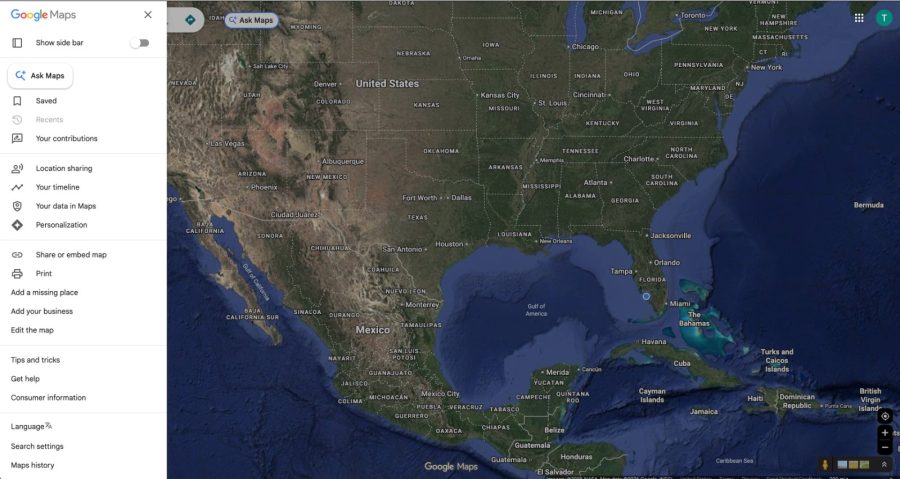
You can survey the area around your campground and see how far it is to the essentials: grocery stores, laundromats, RV repair shops and gas stations. Along with each location, you get operating hours, contact information, directions and reviews. The rating system is usually reliable, but be wary of places with lots of glowing reviews and very few customers. That can be a sign the ratings have been padded.
Reviews are especially helpful when you’re sorting through a lot of options. Set yourself a personal threshold, like 4.5 stars or higher, and you can quickly build a short list of restaurants and sights that are likely to be worth your time. We’ve found a lot of places we would have otherwise missed this way, like the tiny Thai restaurant from our weekend in Fort Wayne, Indiana.
For the safety-conscious RVer, Street View adds a layer of reassurance. Before pulling into a new area, you can virtually drive the streets to get a feel for the neighborhood, spot potential hazards, and check whether a gas station or parking lot has room for your rig.
Good to know: Google Maps doesn’t know your RV’s height, length or weight, so it can happily send you down roads with low bridges, tight tunnels or switchbacks you have no business towing through. We learned that lesson in the Black Hills, where the tunnels on Needles Highway are just 8 feet wide. Use it for discovery, and double-check your route with an RV-specific tool.
2. Google My Maps
Google My Maps is Google Maps’ lesser-known sibling, and it’s our go-to for big trips. Instead of looking at one destination at a time, you can pin every stop on a multi-week route, color-code them, add notes, and see the whole trip on one map. We build one for every long road trip, and you can see the finished versions on our trip hubs, like our Wild West Loop.
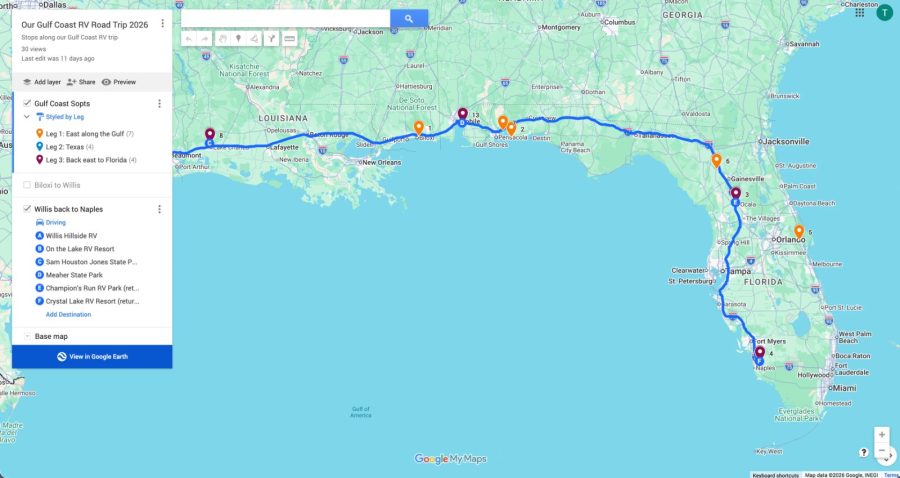
Our Gulf Coast RV trip in Google My Maps, with each leg color-coded.
Our tip: Keep your stops in a simple spreadsheet (name, address, dates, nights, cost) and import it into My Maps. It saves a lot of clicking and gives you a trip budget at the same time.
Apps for Finding RV Campgrounds and Park Reservations
3. RV LIFE
RV LIFE is great for finding campgrounds with honest reviews from other RVers. Because the reviewers are traveling in rigs like yours, they tend to mention the things that actually matter to us: how level the sites are, whether a big rig can get in and out, how the hookups work, and how good (or bad) the cell signal is.
RV LIFE also offers RV-safe GPS and trip planning tools as part of its paid membership. These let you plan routes based on your rig’s size, which is exactly what Google Maps can’t do. We walk through how it works in our full RV LIFE Trip Wizard review, or you can try RV LIFE here.
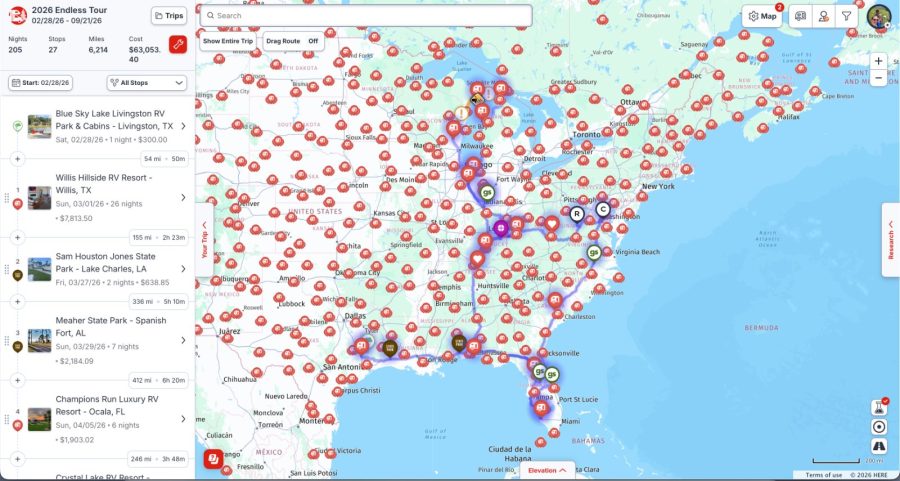
Our 2026 trip in RV LIFE Trip Wizard: every stop, night, mile and campground cost in one place.
4. Campendium
Campendium is the app we use most when we’re hunting for a place to stay. Type in where you’re planning to spend the night, and it gives you a map of every possible overnight spot. It covers the “official” options, like state parks and private campgrounds, plus a solid list of places that allow boondocking for the night, like some Walmarts and Cracker Barrels.
Campendium has most of the information you need for each site, but we find it usually doesn’t have many reviews. We use it to find campgrounds that interest us, then look them up on Google and RV LIFE for the full story.
5. Recreation.gov
When we’re planning a national park visit, the Recreation.gov app is a must. It’s the official booking site for campgrounds, tours, timed-entry tickets and permits on federal lands, including national parks, national forests and Army Corps of Engineers lakes.
We love having everything in one place on our phones. Tour tickets and park passes are right there in the app when you need them, with no hunting through emails at the gate. It also shows you nearby campgrounds with open sites, which is a lifesaver when a park campground is full.
You can also filter by what your rig needs, like RV or trailer sites, your vehicle length and electric hookups, so you only see campgrounds that actually fit.
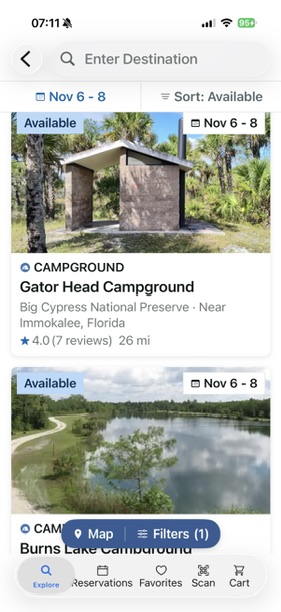
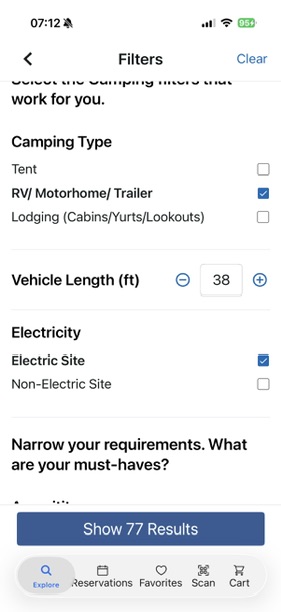
Searching for available campgrounds near Naples, filtered for our rig.
The fun part: lotteries. Some of the most in-demand experiences are handed out by lottery on Recreation.gov, like permits to hike Angels Landing in Zion National Park, or tickets to the National Christmas Tree Lighting Ceremony in Washington, DC. It costs a few dollars to enter, and it’s a little like buying a scratch-off ticket for an adventure. Mark the lottery dates on your calendar, because they fill up fast.
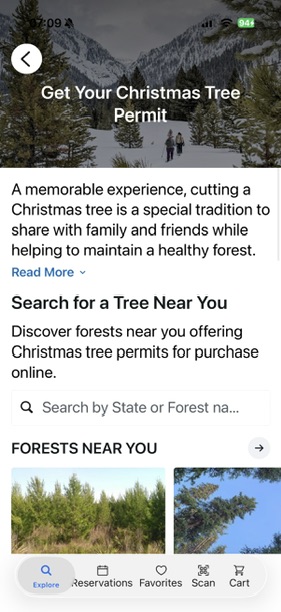
Another fun one: Christmas tree permits. You can buy a permit in the app to cut your own Christmas tree in a national forest near you, like Ocala National Forest here in Florida. It’s a fun holiday tradition, and the permit fees help the forest stay healthy.
Apps for Saving Money on Gas
Fuel is one of the biggest line items on any RV trip, and towing a fifth wheel means we’re stopping a lot. These apps help keep that number in check.
6. GasBuddy
We use GasBuddy constantly. It shows you real-time gas and diesel prices reported by other drivers, so you can see which station down the road is cheaper before you pull off. Prices can swing a surprising amount from one exit to the next, and when you’re filling a big tank, those cents per gallon add up quickly.
The filters are where GasBuddy really shines for RVers. You can filter by diesel, sort by deals and distance, and narrow the map to stations with features like truck stops, propane, pay at the pump and restrooms.
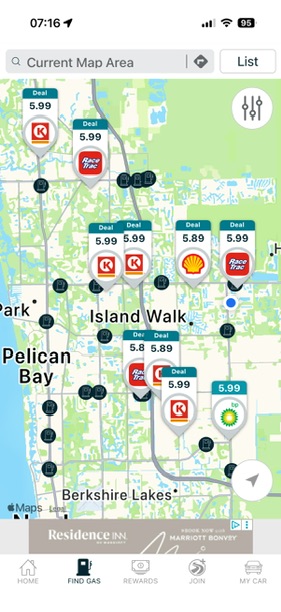
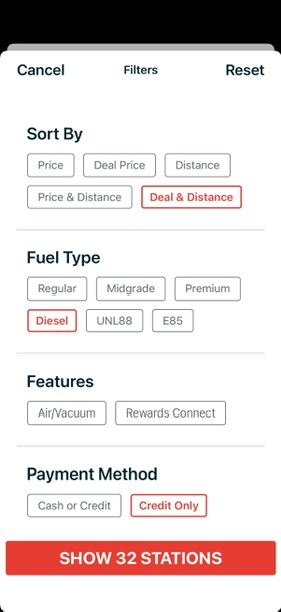
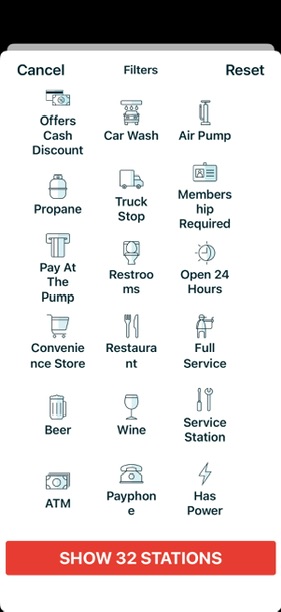
GasBuddy’s map, diesel filter and station features.
Our tip: Once GasBuddy finds you a cheap station, check it in Google Maps Street View before you go. Not every gas station has room to get a truck and trailer in and back out again.
7. 7-Eleven App
This one might surprise you, but the 7-Eleven app earns its spot. Members get excellent fuel discounts throughout the year, on diesel too, and the savings on a big fill-up make it well worth the download. Sign up for their texts and you’ll get extra cents-off-per-gallon deals during promotions.
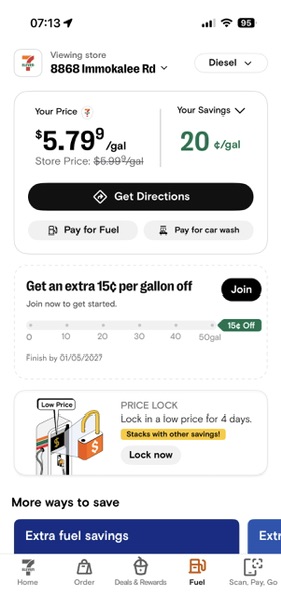
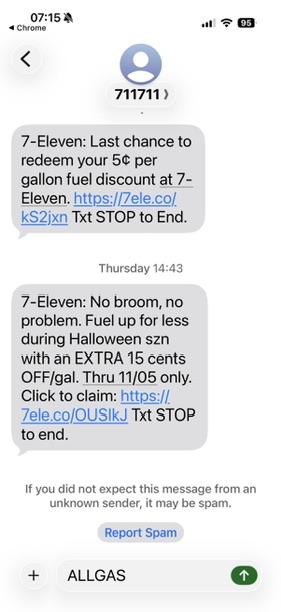
Member savings on diesel, plus extra cents off by text.
Two more features we love:
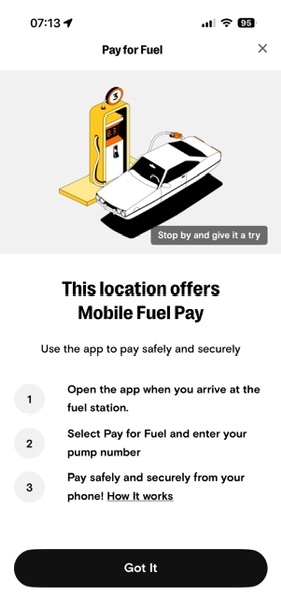
- Mobile Fuel Pay: At participating stations, you pay for fuel right in the app, so you never have to insert your card at the pump. That’s especially helpful in areas known for card skimmers that steal your data.
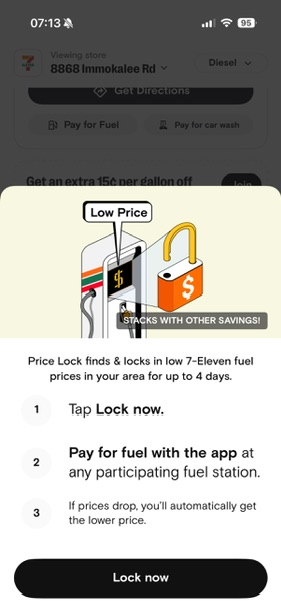
- Price Lock: When you see a low price, you can lock it in for up to four days, and if prices drop, you automatically get the lower price.
8. Open Roads Fuel Card (and the Love’s App)
We try to avoid the truck lanes when we’re towing, but on our really long travel days, pulling the F-350 and fifth wheel through the diesel lanes at a truck stop is sometimes the easiest option. There’s more room to maneuver, and you can get in and out without squeezing past the car pumps.
Here’s the catch: to get a discount on the truck side, you need a fuel card made for that, like Open Roads. The Open Roads card is built for RVers and gets you discounted diesel in the truck lanes at Love’s, TA/Petro and many other truck stops, and its app shows you participating stations and prices along your route.
On the auto side, it’s a different story. If you’re fueling at the regular pumps at a Love’s, the Love’s app can save you a considerable amount on its own, no fuel card needed.
Our tip: Truck lanes are designed for big rigs, so be courteous. Fuel up, pull forward if you need to run inside, and don’t linger at the pump.
An App for Travel-Day Weather
9. Highway Weather
Highway Weather is a more recent discovery for us, so it hasn’t gotten as many miles as the others. Its best feature: you plot your route, and the app tells you what the weather will be like where you’ll be at each point in your trip. For example, if you leave Indianapolis at 8 a.m. and expect to pass through Nashville around 1 p.m., it shows you Nashville’s forecast for 1 p.m. instead of the current weather.
That makes it really practical for steering around storm systems that might cross your path, which matters a lot more when you’re towing a fifth wheel than when you’re in a car. High winds and big rigs are not a good mix.
Enter where you’re starting and where you’re headed, and it shows your miles, drive time and the forecast at points along the way. It even suggests the best time to leave based on the weather, and you can drag a slider to see how leaving an hour or two later changes the picture.
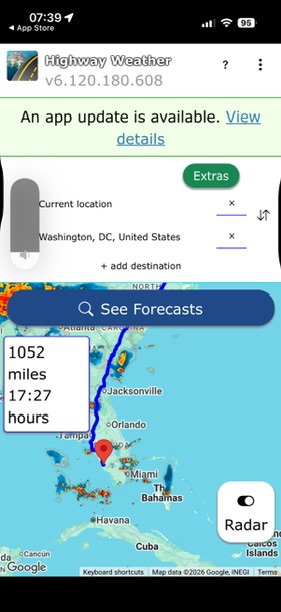
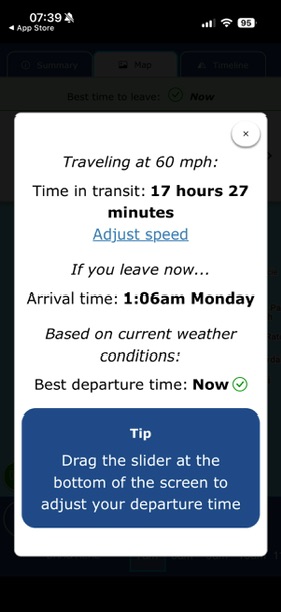
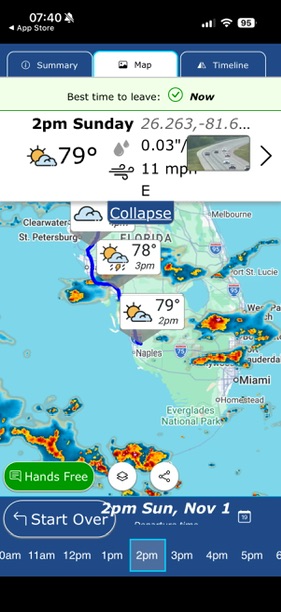
Highway Weather’s route, best departure time and hourly forecast along the way.
Apps for Organizing Your RV Trip
10. Notion
Notion has so much potential. I use it to organize blog content, manage work projects and keep track of life in general. Years ago, I was an Evernote ambassador and loved what it had to offer for staying organized, but Notion has taken it to another level.
For RV travel, Notion is where the trip actually comes together. I keep our route plans, campground options and reservation details there, along with a road journal for jotting down campsites, restaurants, trails and towns while they’re still fresh. Those notes become the details that make it into blog posts like this one.
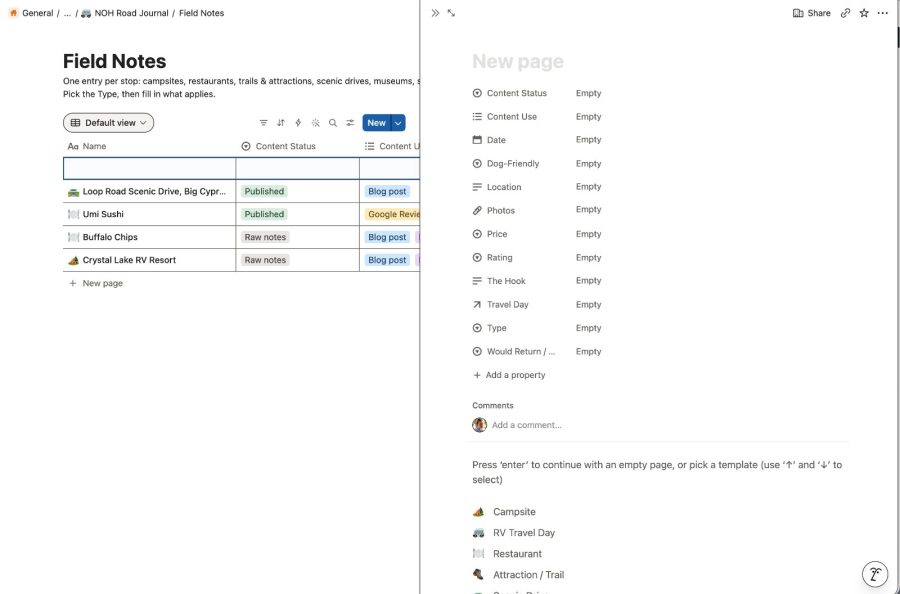
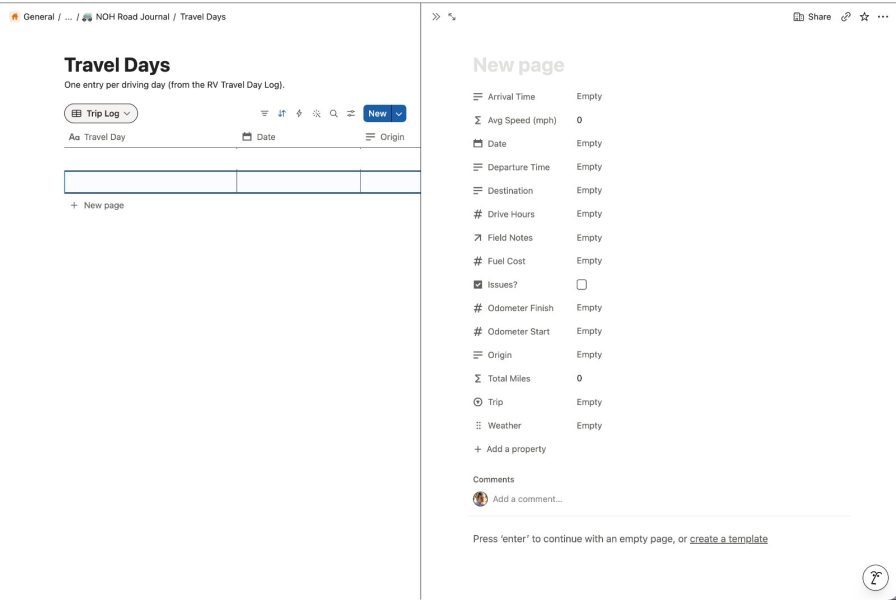
Our Road Journal in Notion: Field Notes for every stop, and a log for every travel day.
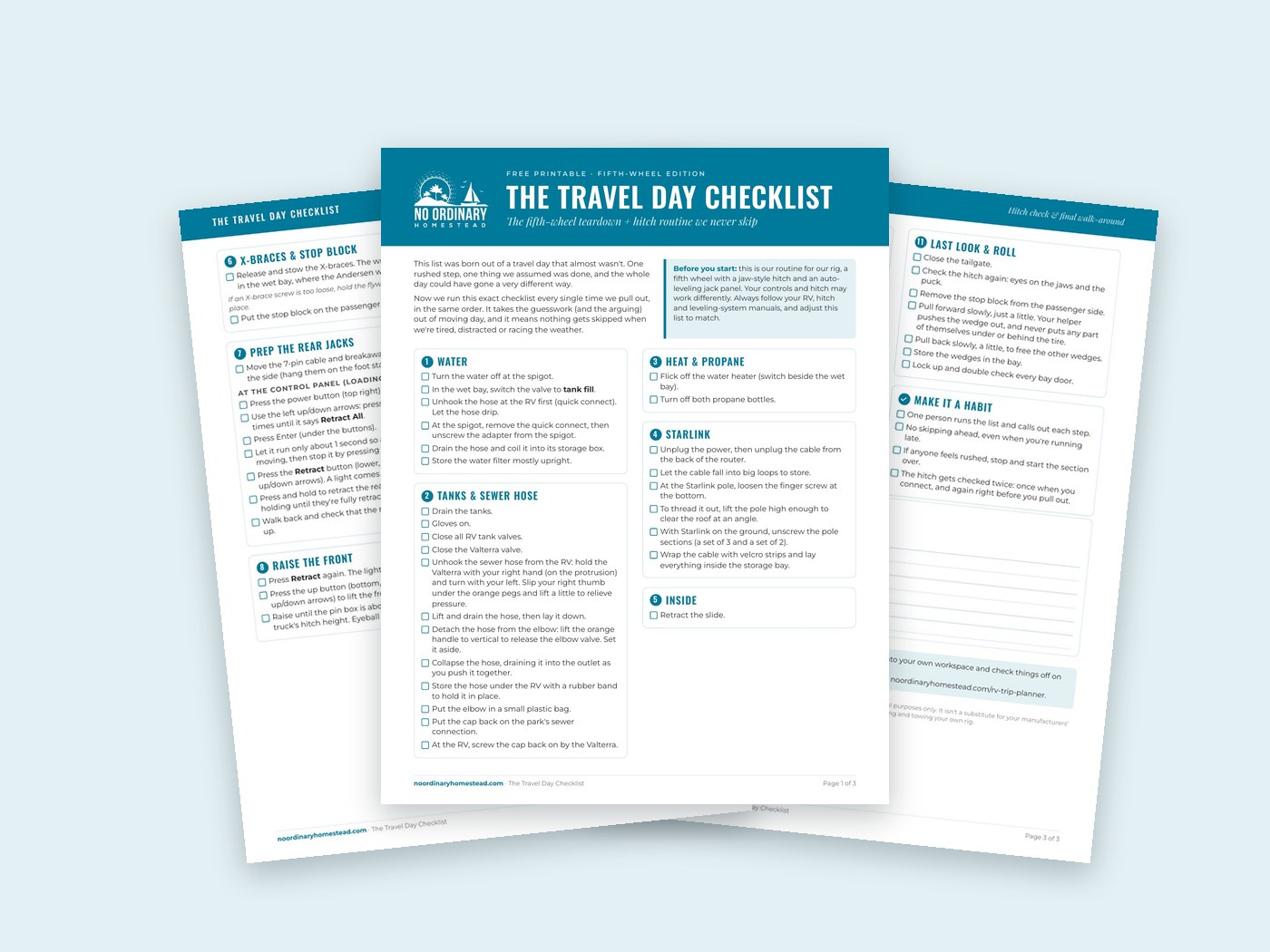
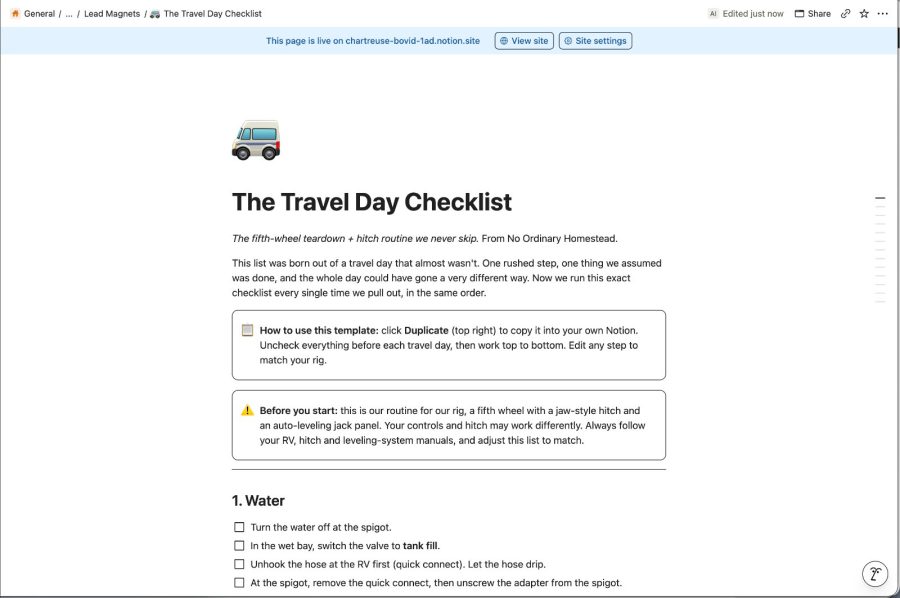
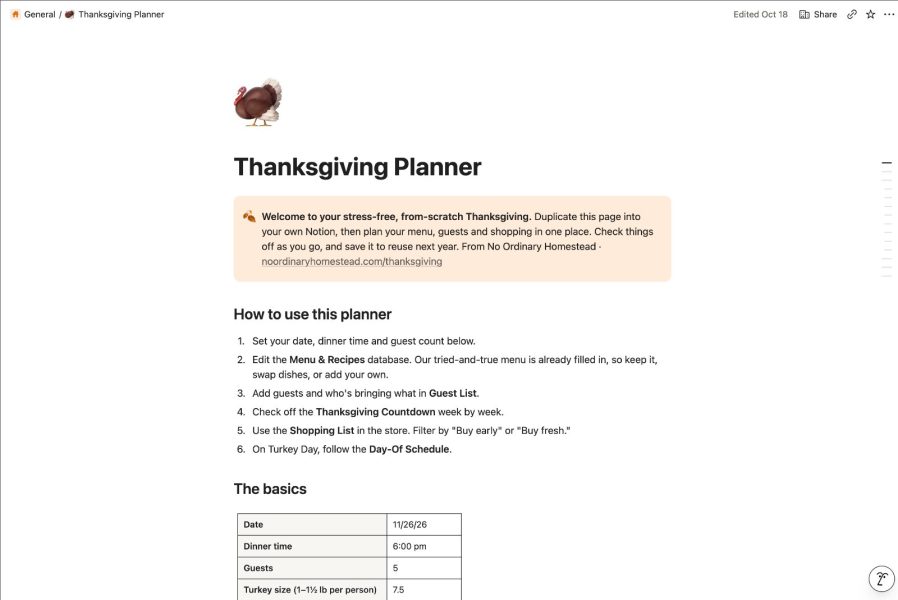
We’ve even turned a few of our Notion templates into free downloads you can duplicate into your own Notion, like The Travel Day Checklist we run every time we hitch up and our Thanksgiving Planner.
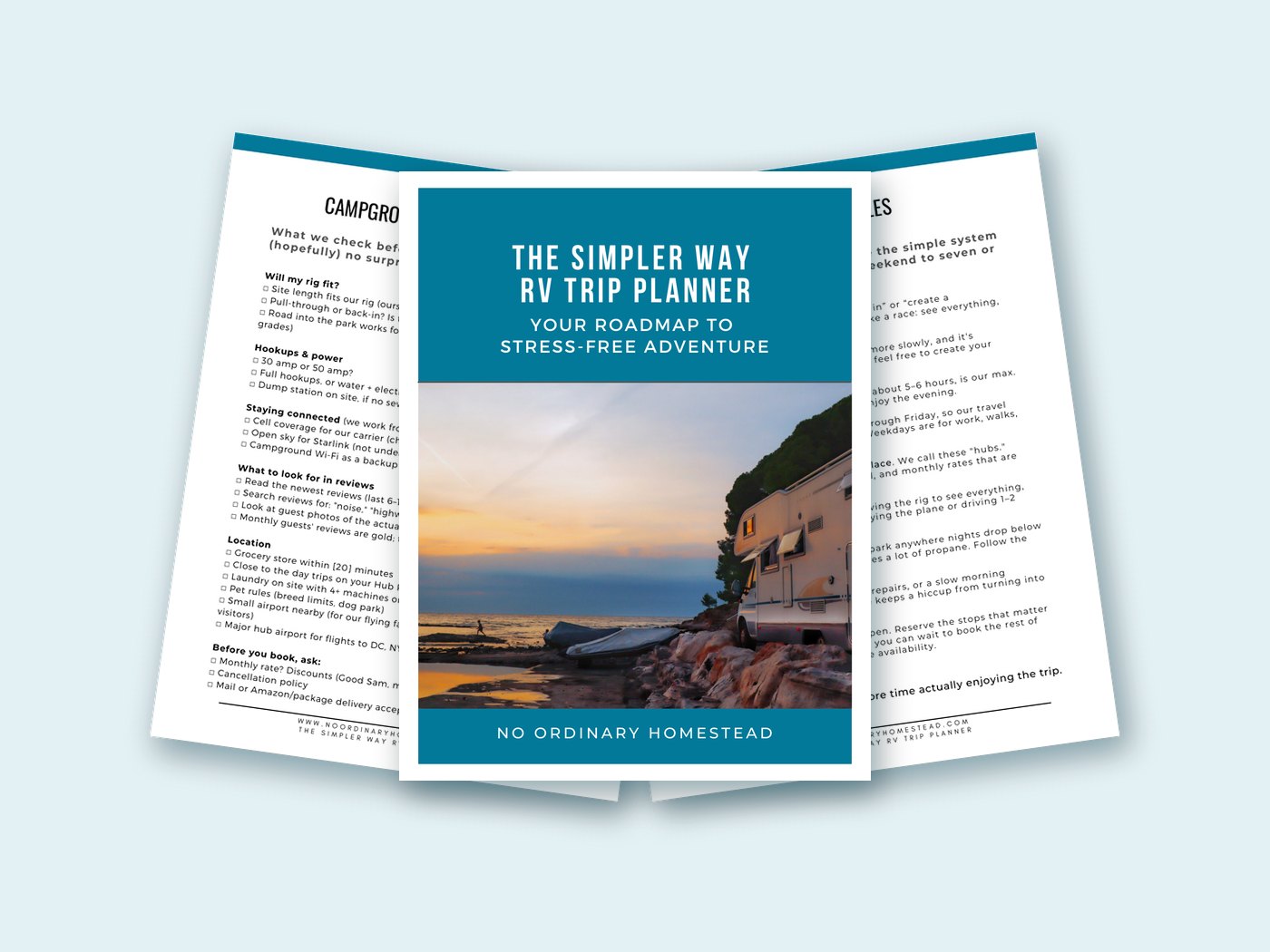
If you’d rather plan on paper, our free Simpler Way RV Trip Planner covers the same ground, and WanderBoard lays out a long road trip visually.
11. Claude
Claude, which you can use in Chrome or install on your desktop, is a game changer for researching and planning trips. It’s helpful from start to finish with the groundwork: sketching out a potential route, figuring out where to go and why, and comparing campgrounds or stops along the way.
I also like to pair Claude with Notion. It helps me create templates, lay out complex projects, and has taught me how to use Notion better. As with any research tool, double-check the important details, like reservation dates, road restrictions and campground rules, before you commit.
How We Use These Apps Together
- Big picture: Brainstorm the route and must-see stops with Claude, then map them in Google My Maps.
- Campgrounds: Find options in Campendium, then check the reviews on RV LIFE and Google. For national parks, book campgrounds, tours and passes on Recreation.gov.
- Scouting: Use Google Maps and Street View to check the area around each campground: groceries, laundry, gas and food.
- Organizing: Keep reservations, notes and ideas together in Notion.
- Fuel stops: Compare prices on GasBuddy, check the 7-Eleven and Love’s apps for discounts, and use our Open Roads card when we need the truck lanes.
- Travel day: Check Highway Weather before we hitch up, and confirm the route is RV-friendly.
RV Trip Planning App FAQs
What is the best app for planning an RV trip?
There isn’t one app that does it all. For us, Google Maps does the most heavy lifting, Campendium and RV LIFE handle campgrounds, and Notion keeps everything organized. Most RVers end up with a small toolkit like this.
Can I use Google Maps for RV navigation?
You can, but carefully. Google Maps doesn’t account for your RV’s height, length or weight, so it may route you onto roads with low clearances or tight tunnels. Use an RV-specific GPS or route planner to double-check.
Do I need to pay for RV trip planning apps?
Not necessarily. Google Maps, Google My Maps and the basic versions of many campground apps are free. Paid memberships, like RV LIFE’s, add features such as RV-safe routing, which can be worth it if you tow or drive a big rig.
How do you save money on gas on an RV trip?
We check GasBuddy to compare prices along our route and watch the 7-Eleven app for member fuel discounts. When we’re towing and need the truck lanes, our Open Roads card gets us discounted diesel at many truck stops. Planning fuel stops ahead of time also means you’re not stuck paying top dollar at the only station for miles.
Final Thoughts
We still have a soft spot for that 1,200-page camping guide and our trusty old TomTom, but we don’t miss the guesswork. These days, a handful of good RV trip planning apps means fewer surprises, better campgrounds and more time enjoying the trip instead of hunting for the next stop.
Free printable: The Simpler Way RV Trip Planner
The same 10-page planner we use for every trip in our fifth wheel: our planning rules, a hub planner, a campground scouting checklist, a budget sheet, a packing list and a travel day checklist.
What are your favorite apps for planning an RV trip? Tell us in the comments. We’re always looking for new ones to try!